NumPy compress selects array slices where a one dimensional condition is true
A Boolean condition can describe which positions to keep from an array. NumPy compress uses a one dimensional condition to select slices along a chosen axis. Academia Master Trader explains this operation in English for readers in Georgia. Constructed vectors and matrices show the relationship between condition positions, retained entries and output shape. Selecting a subset changes which entries are present, not the meaning of the original observations.
Keep the entries marked true
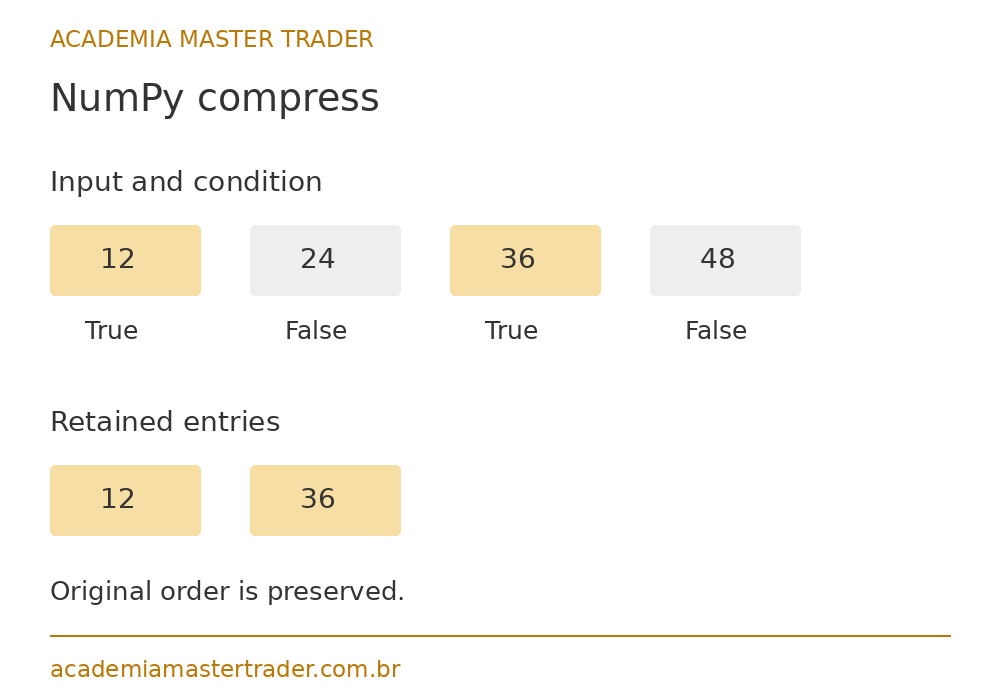
After import numpy as np, define x = np.array([12,24,36,48]). The call np.compress([True,False,True,False],x) returns [12,36]. Positions zero and two are kept because the corresponding condition entries are true. Positions one and three are omitted because their condition entries are false.
The condition follows positions in the input. It does not name the numerical values to retrieve, and it does not arrange the retained entries by size. The selected entries appear in their original sequence. Reading the condition beside the input is a simple way to check which positions contribute to the result.
Select complete rows with axis zero
Define m = np.array([[1,2],[3,4],[5,6]]), with shape (3,2). The expression np.compress([True,False,True],m,axis=0) returns [[1,2],[5,6]]. Each true condition entry retains a complete row. The middle row is omitted, and the result has shape (2,2).
The condition has three positions because the selected row dimension has length three. Two true entries produce two retained rows. The other dimension still has length two, because the selection retains both columns within every selected row. Counting true entries helps predict the output length along the selected axis.
Select columns with axis one
The call np.compress([False,True],m,axis=1) returns [[2],[4],[6]]. This condition addresses the two column positions. Only the second column is retained, so the output has shape (3,1). All three rows remain in the result.
A two dimensional result with one column is different from a one dimensional vector. The brackets show that each retained entry still belongs to a row containing one column. State the output shape when explaining this selection so that a later calculation does not silently assume a different number of dimensions.
A missing axis means a flattened selection
With no axis argument, compress works on the flattened input. For the matrix m, the call np.compress([False,True],m) returns [2]. The flattened sequence begins with one and two. The two entry condition addresses those first two positions, keeping only the second.
This example also illustrates a documented detail: when the condition is shorter than the selected dimension, only the positions covered by the condition participate. The remaining positions are not selected automatically. Prefer a condition that matches the intended axis length when you want to make a decision about every position, and check the lengths explicitly.
The output is a copy
Compress returns a copy rather than a view of the selected slices. For example, create selected = np.compress([True,False,True,False],x). Setting selected[0] = 99 changes the first entry of selected, while the original x still begins with twelve. This behavior differs from operations that return views sharing the source storage.
Continue learning with Academia Master Trader at academiamastertrader.com.br and in Aprenda. Record the condition, its length and the selected axis before filtering. Inspect the output shape and retained positions afterward. This keeps selection rules visible without treating an omitted entry as if it never existed in the source array.