NumPy full creates an array with a chosen shape and an explicit fill value
Creating an array and filling it with a known value can be one operation. NumPy full accepts the desired shape and a fill value, then returns a new array containing that value throughout the requested arrangement. The dimensions describe the positions available; the fill argument describes what those positions contain.
Academia Master Trader presents this explanation in English for readers in Malawi. The examples concern numerical array construction only. They do not represent prices, trading signals or financial results. The aim is to distinguish dimension lengths, stored values and data types before using a newly created array in a calculation.
Read shape and value separately
The expression np.full((2,3),7) creates rows [7,7,7] and [7,7,7]. The tuple (2,3) requests two rows and three columns. The separate argument seven is the value placed in each of those six positions.
The output shape is (2,3), not (7,). Seven does not request seven rows, and the shape tuple is not repeated as data inside the result. Writing the intended dimensions and the fill value on separate lines in an explanation helps keep these roles clear.
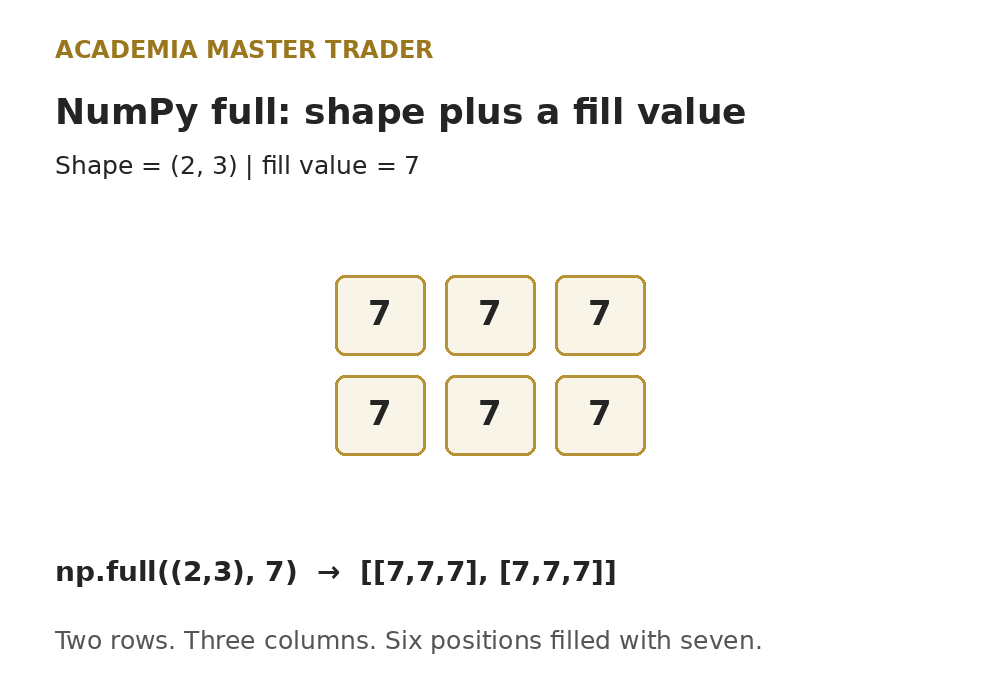
Every entry in this example starts with the same value. That does not make the array a single scalar. It still has two dimensions and six distinct positions that can be addressed by their coordinates. Equal contents and equal structure are different questions.
One dimension is still an array
For a vector, the expression np.full(4,7) creates [7,7,7,7] with shape (4,). The first argument requests four positions along one axis. It does not create a four-by-four matrix, because no second dimension is specified.
A tuple containing one dimension length can express that same vector shape. In contrast, a shape of (1,4) requests a two-dimensional array with one row and four columns. The number of stored values may match, but the number of axes differs.
This distinction matters when another function expects a row, a column or a vector. A repeated number can make several outputs look similar in a short printout. Reading the shape explicitly avoids relying only on their visual resemblance.
The fill value influences the default data type
When dtype is omitted, the NumPy reference states that the default comes from the data type of an array made from the fill value. An integer fill and a floating-point fill can therefore lead to different output types even when the printed numbers appear similar.
For example, an integer seven and a floating-point seven express the same mathematical quantity, but they carry different type information. This lesson's basic example uses an integer fill. A program that needs a particular type should state that requirement with dtype rather than depending on appearance.
The expression np.full((2,3),7,dtype=float) requests floating-point entries in the same two-by-three arrangement. Changing the requested type does not change the row or column count. Shape, value and type are separate parts of the construction.
Conversion should match the intended meaning
An explicit data type asks NumPy to represent the supplied fill using that type. The chosen type should be able to represent the value the program intends to store. Do not treat dtype as a display setting that merely changes how an otherwise untouched value is printed.
This is particularly important when a fill includes a fractional part but the requested type is an integer type. If a later calculation needs that fraction, choosing a type that does not retain it changes the numerical contents before the calculation begins.
A clear explanation names both the fill value and the desired type. That makes the intended representation visible at the point of creation, rather than leaving a reader to infer it from values produced much later in the program.
An array-like fill follows a compatibility rule
Full also accepts an array-like fill value. The official reference gives the example of a two-by-two output filled from [1,2], producing rows [1,2] and [1,2]. The supplied pattern fits across the requested rows.
This does not mean that any sequence can fill any shape. The pattern must be compatible with the destination arrangement under NumPy's broadcasting rules. A short repeating description in ordinary language is not a substitute for checking how the dimensions align.
For an introductory example, a scalar fill makes the operation easiest to follow: one value goes into every position. When the fill itself has structure, describe its shape as well as the destination shape. That separates two different sources of dimensional information.
Storage order is not a different visible pattern
The order argument concerns how a multidimensional result is stored in memory. C-style and Fortran-style storage describe row-wise and column-wise memory organisation. They do not change the requested coordinate pattern into a different number of rows or columns.
The function returns a new array rather than filling a previously named array in place. If an existing variable receives the result, distinguish that assignment from an operation that changes the contents of some other array already stored elsewhere.
Make the starting state explicit
Continue learning with Academia Master Trader at academiamastertrader.com.br. Aprenda provides access to educational material. State the shape, fill value and intended type, then identify how many dimensions the output has. A known starting arrangement makes later changes easier to explain without confusing repeated values with the structure that holds them.