NumPy sort orders values along a selected axis and returns a separate sorted copy
A sequence can be arranged by value without changing which numbers it contains. Sorting makes that arrangement explicit, but it can also remove the original positional story if the input order mattered. Academia Master Trader explains NumPy sort in English for readers in Austria, using small constructed arrays. The examples distinguish numerical order, matrix axes and the difference between a sorted copy and a change to the original array.
Begin with an ordinary numerical sequence
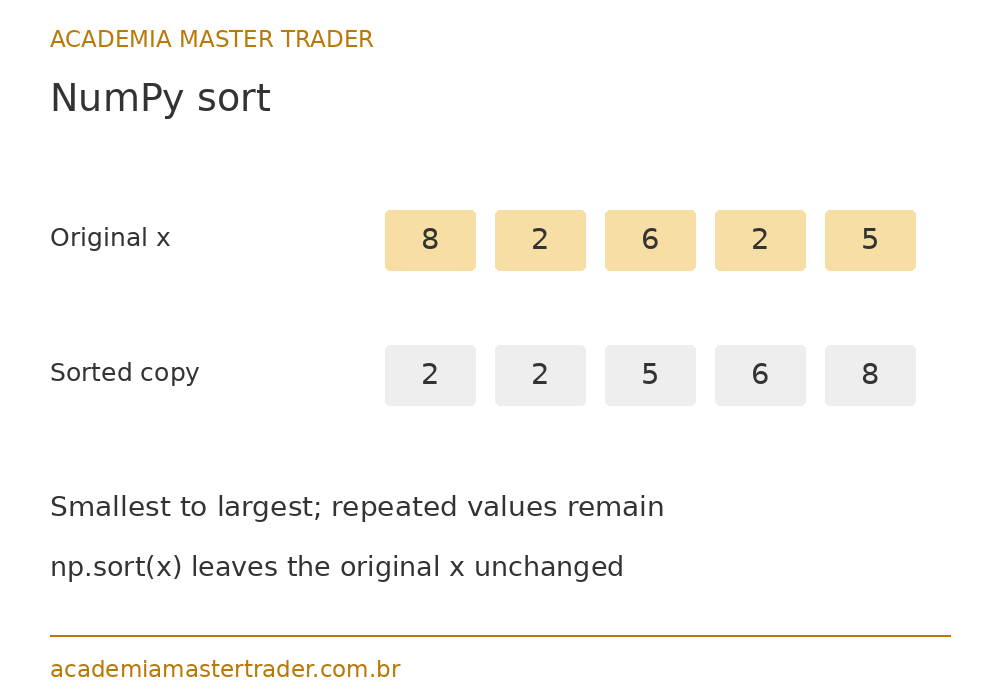
After import numpy as np, define x = np.array([8,2,6,2,5]). The call np.sort(x) returns [2,2,5,6,8]. The smallest values appear first and the largest last. Both copies of two remain in the result. Sorting does not remove repeated values, calculate an average or invent new entries between the existing ones.
The input and output each contain five entries. What changes is their arrangement. If the original positions represented a time sequence, the sorted result no longer represents that same chronological order. The numbers are still present, but their neighbours and positions may have changed. A label should therefore distinguish a sorted view from the original sequence.
Keep the source and the returned copy separate
The figure places x in gold and its sorted copy in grey. Reading both rows confirms that eight moves toward the end while the two repeated values move together at the beginning. Those visual changes concern the returned result. Calling y = np.sort(x) leaves x unchanged and stores the sorted copy in y.
The array method x.sort() has different behaviour: it sorts x in place. Choose deliberately between retaining the original array and changing it. If you need to compare the original positions with sorted positions later, preserve the original information instead of assuming the sorted values can reconstruct every earlier arrangement.
Sort rows independently with the last axis
Define a = np.array([[8,2,6],[3,9,1]]), with shape (2,3). The call np.sort(a,axis=1) returns [[2,6,8],[1,3,9]]. Each row is sorted separately. Values do not move from the first row into the second. The default axis is the last axis, so np.sort(a) gives the same result for this matrix.
The output retains shape (2,3), but positions within each row have changed. This matters if another array stores related information at matching positions. Sorting only the numerical values does not automatically carry that other information along. NumPy provides argsort for obtaining sorting indices; the simple sort examples here return values rather than those indices.
Compare column sorting with flattening
The call np.sort(a,axis=0) returns [[3,2,1],[8,9,6]]. Each column is sorted from its smaller entry to its larger entry. The first column compares eight and three, the second compares two and nine, and the third compares six and one. The result is not a list of globally smallest values across the first row.
The call np.sort(a,axis=None) instead returns [1,2,3,6,8,9]. It flattens the matrix before sorting all six values together. The result is one dimensional, unlike the two axis specific outputs. Naming the axis or explicitly choosing None keeps those different operations visible.
Treat equal values and numerical types carefully
When stable ordering is required, kind='stable' requests a stable sort. Stability means that entries comparing equal retain their relative order. In a plain numerical output containing two identical values, that distinction may not be visible from the numbers alone. It still matters when explaining sorting methods or working with associated records.
Continue learning with Academia Master Trader at academiamastertrader.com.br and in Aprenda. Record whether the operation returns a copy or changes the input, which axis is sorted and whether the output preserves the intended relationships. These checks keep a numerical arrangement distinct from chronology, deduplication and any claim about future values.