NumPy unique separates distinct values from their frequencies and original positions
A sequence can contain repeated values while having only a few distinct numerical values. NumPy unique identifies those distinct values and can also return counts and positional information. Academia Master Trader explains the function in English for readers in France, using small constructed arrays. The examples distinguish the set of observed values from how often each appears and where the entries occurred in the original sequence.
Begin with distinct values in sorted order
After import numpy as np, define x = np.array([6,2,6,4,2,6]). The call np.unique(x) returns [2,4,6]. The output contains one copy of each distinct value, in sorted order under the default behaviour. Six original entries become three distinct values. The first output is two even though the first input was six.
This is not the same as preserving the first appearance order. Nor is it a calculation of frequency by itself. The plain output tells you which distinct values occur, but it does not tell you that six appears more often than four. Request the additional information needed for the explanation instead of reading it into the values alone.
Pair each value with its count
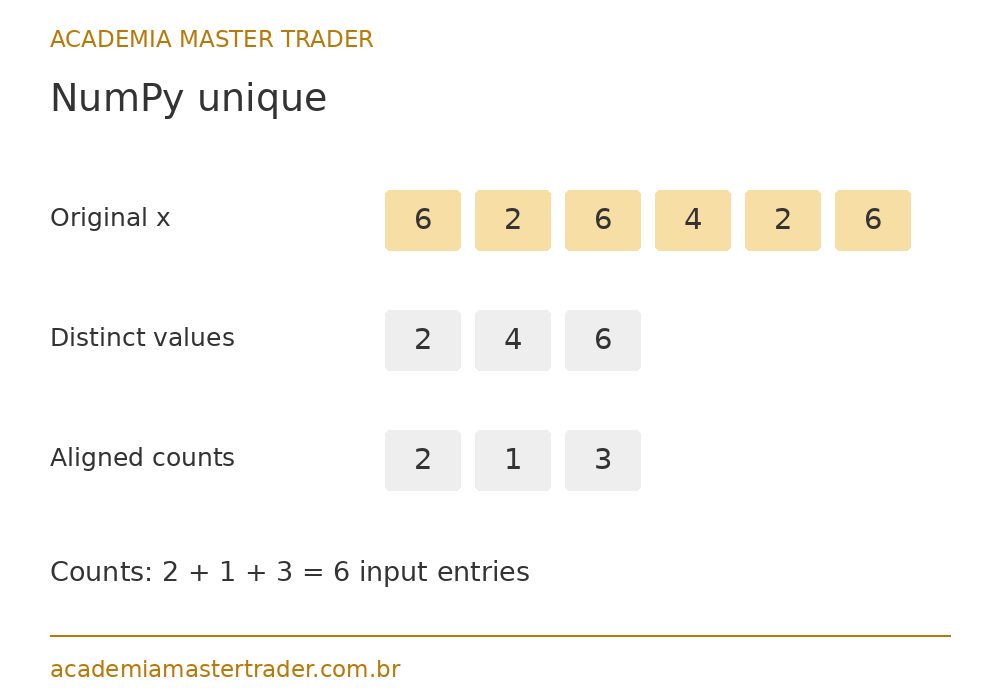
The call values, counts = np.unique(x,return_counts=True) returns values [2,4,6] and counts [2,1,3]. The arrays align by output position: two occurs twice, four occurs once and six occurs three times. The counts sum to six, matching the input length.
The figure shows the original sequence and then the distinct values with their aligned counts. A count of three belongs to value six; it is not a third distinct value or a measurement from the original array. Naming both rows avoids confusion between an observed number and the number of times it appears.
First occurrence indices refer back to the input
The call values, first = np.unique(x,return_index=True) returns values [2,4,6] and first indices [1,3,0]. NumPy uses zero based indexing. Two first occurs at index one, four at index three, and six at index zero. The expression x[first] retrieves [2,4,6].
The first indices are aligned with the sorted distinct values, not sorted numerically themselves. Their order therefore need not be increasing. Keeping that distinction explicit helps a reader follow how an output value relates to its earliest appearance in the source sequence.
Inverse indices can reconstruct this sequence
The call values, inverse = np.unique(x,return_inverse=True) returns values [2,4,6] and inverse indices [2,0,2,1,0,2]. Here each inverse entry points into values, not into x. For example, the first inverse entry two selects values at index two, which is six.
The expression values[inverse] reconstructs [6,2,6,4,2,6]. These inverse indices preserve the positional mapping needed for that reconstruction. Counts alone do not preserve the same information. Repeating each distinct value by its count would give the same collection of values grouped together, but not necessarily their original sequence.
Distinguish individual values from whole rows
For a = np.array([[2,5],[2,5],[1,7]]), the call np.unique(a) returns [1,2,5,7] because the default treats the flattened input as individual entries. By contrast, np.unique(a,axis=0) returns [[1,7],[2,5]]. It treats complete rows as the items and keeps one copy of each distinct row.
Those outputs answer different questions. The first lists distinct scalar values anywhere in the matrix. The second lists distinct row patterns. State the axis and the unit being compared before describing a count or calling an entry a duplicate.
Continue learning with Academia Master Trader at academiamastertrader.com.br and in Aprenda. Record whether the items are values or rows, how the output is ordered and which additional arrays were requested. Then check their alignment. These checks separate distinct values, frequencies and positions without treating any of them as a forecast.