NumPy zeros gives a new array a known starting value without changing what its shape means
A numerical array can begin with a clearly defined value in every position. NumPy zeros creates a new array of a requested shape and fills its entries with zero. The operation combines construction with initialisation, so the dimensions and the starting contents are both stated at the point where the array is made.
Academia Master Trader presents this explanation in English for readers in Lesotho. The examples describe numerical arrays, not prices, trading signals or financial results. The purpose is to separate the shape of an array from the numbers it contains, then show how a chosen data type affects the way those numbers are represented.
Start with the dimensions
The expression np.zeros((2,3)) requests two rows and three columns. The result has six positions, and each position initially contains a floating-point zero. A compact description is two rows [0.,0.,0.] and [0.,0.,0.].
The pair (2,3) is the requested shape. Neither two nor three is a value copied into the array. They specify the lengths of the two axes. The zeros come from the function's purpose, not from a third argument supplying a separate fill value.
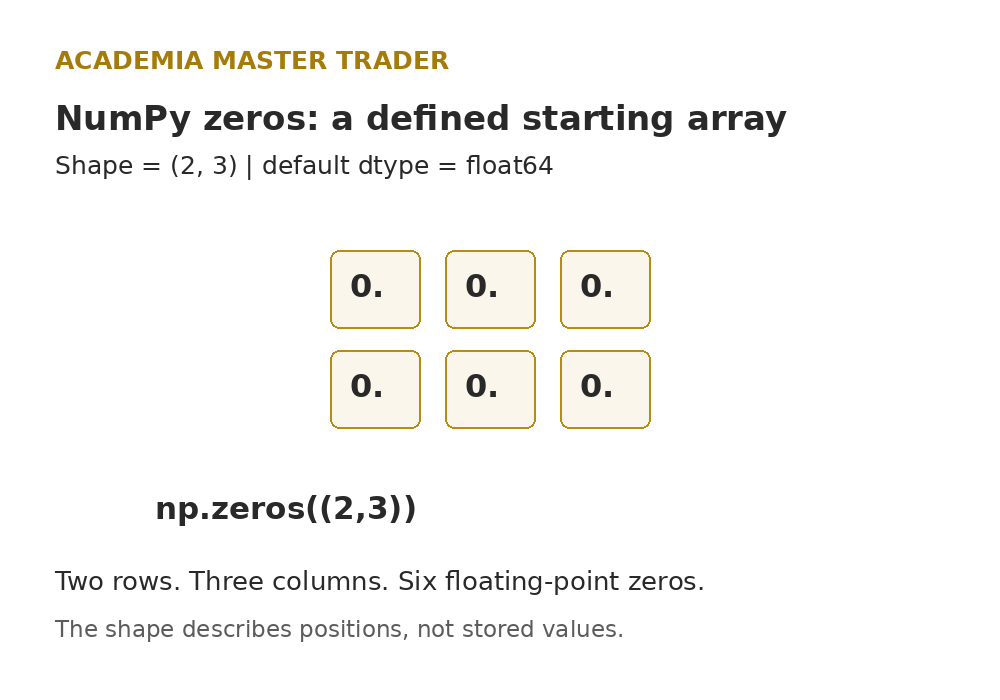
Reading the dimensions before reading the contents is a useful habit. Six equal entries do not erase the row and column structure. The result remains two-dimensional even though every visible value is identical at the beginning.
A vector and a row have different shapes
The expression np.zeros(3) creates a one-dimensional array with three positions. Its shape is (3,). There is one axis, and the comma in that shape notation distinguishes the one-item tuple from an ordinary parenthesised number.
By contrast, np.zeros((1,3)) creates a two-dimensional array with one row and three columns. Its shape is (1,3). Both examples contain three entries, but they do not describe the same arrangement of axes.
Similarly, np.zeros((3,1)) requests three rows and one column. It also contains three entries. Counting the values alone therefore cannot tell a reader whether the array is a vector, a row or a column. The complete shape answers that question.
The default type is floating point
The NumPy reference lists float64 as the default data type for zeros. A decimal point in a printed zero is consistent with that floating-point representation. The printed punctuation is a clue, while the array's data type is the direct description of how its entries are represented.
An explicit dtype changes the requested representation. For example, np.zeros((2,3),dtype=int) asks for integer zeros in the same two-by-three arrangement. The dimensions stay the same. Specifying a type does not add another row, remove a column or create a second copy of the data.
A program that requires a particular integer width should name an appropriate explicit type rather than treating the general integer name as a promise of one width in every environment. For this introductory example, the important separation is simpler: shape describes positions, while dtype describes the representation of their contents.
Zero is a starting value, not a conclusion
The function knows the requested arrangement and fills it with zeros. It does not know what those positions will mean in a later application. A zero can be a deliberate initial value without being evidence that a real measurement was taken and happened to equal zero.
Keep that meaning clear when explaining a calculation. If an array will later hold observations, its initial zeros describe its current contents. They do not establish that all expected observations have already arrived. The interpretation belongs to the program and its data, not to the array constructor alone.
This distinction is useful even in a small classroom example. First explain how the array was created. Then explain which positions were assigned later. Separating those steps keeps an initial value from being mistaken for an observed result.
Storage order concerns memory organisation
Zeros accepts an order argument for multidimensional storage. The reference distinguishes C-style, row-major storage from Fortran-style, column-major storage. This option concerns memory organisation rather than the visible number of rows and columns.
For a two-by-three request, choosing a different storage order does not change the requested shape into three-by-two. It also does not turn zeros into a different fill value. Shape, contents, type and storage order are related properties, but they answer different questions.
Creation is different from changing an existing array
The documented result is a new array. Assigning it to a variable gives that variable a newly constructed array; the function is not an instruction to visit an unrelated existing array and replace its entries in place.
That wording matters in explanations. Say that the code creates an array of zeros when that is what it does. Reserve descriptions of changing existing contents for operations that actually act on an existing array. Precise verbs make the sequence of a numerical example easier to follow.
Describe the starting arrangement completely
Continue learning with Academia Master Trader at academiamastertrader.com.br. Aprenda provides access to educational material. When describing zeros, name the shape, count the axes and state the intended data type. Then keep the initial contents separate from the meaning assigned to them later. A clear starting arrangement gives the rest of a numerical explanation a reliable foundation.