Image to Image AI Free: Restyle a Photo You Already Have (No Sign-Up)
If you want free image to image AI, use Upsampler's free AI image editor. You upload your own picture, describe the change in one sentence, and get a new version back that keeps the original layout. It runs in the browser, needs no account, and adds no watermark.
What you get
- True image to image: your photo goes in as the starting point, and a text instruction says what to change.
- Two free models: Qwen Image Edit 2509 Turbo Lightning and Flux 2 Klein 4B, picked from a menu on the page.
- No account, no ads, no watermark, as the tool page states.
- Works on real photos and AI images alike: phone snapshots, portraits, product shots or generated art.
- Keeps the composition: the model preserves the structure of your picture while it applies the edit.
- Free daily GPU minutes, which the page says is enough for several edits a day.
- Accepts PNG, JPG or WEBP, by drag and drop, paste or click.
- Commercial use is allowed, since the models are released under Apache 2.0, as long as you hold the rights to what you upload.
Image to image vs text to image
Text to image starts from nothing. You write a prompt and the model invents the whole scene. Image to image starts from a picture, so the pose, framing and objects stay put and only the part you describe changes.
That matters if you searched for “image to image” because you already like your photo and just want it in a new color, material, style or mood. For prompt-only pictures, the free text-to-image generator is the better tool. It takes a prompt and an aspect ratio, and doesn't accept a reference image.
How to do it in 4 steps
- Open the editor and look at “Examples · tap to try”. The sofa example shows the original next to the result, so you can see how much of the room survives the edit.
- Upload your own image. Start with one clear subject, since vague scenes give vague results.
- Write one instruction that names the thing and the change, like the built-in example: “Change the sofa upholstery to deep green tufted velvet.”
- Press Edit Image, compare it with your original, and download it if the details held.
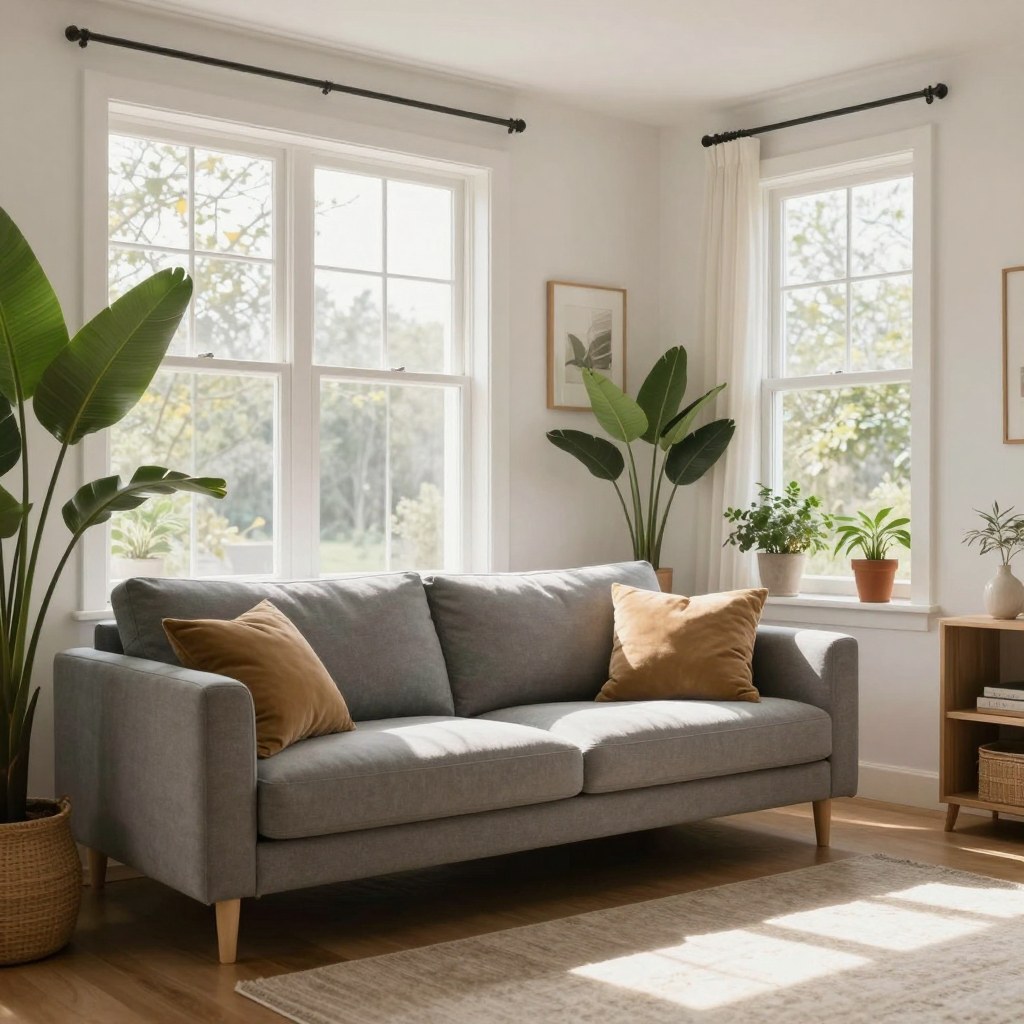
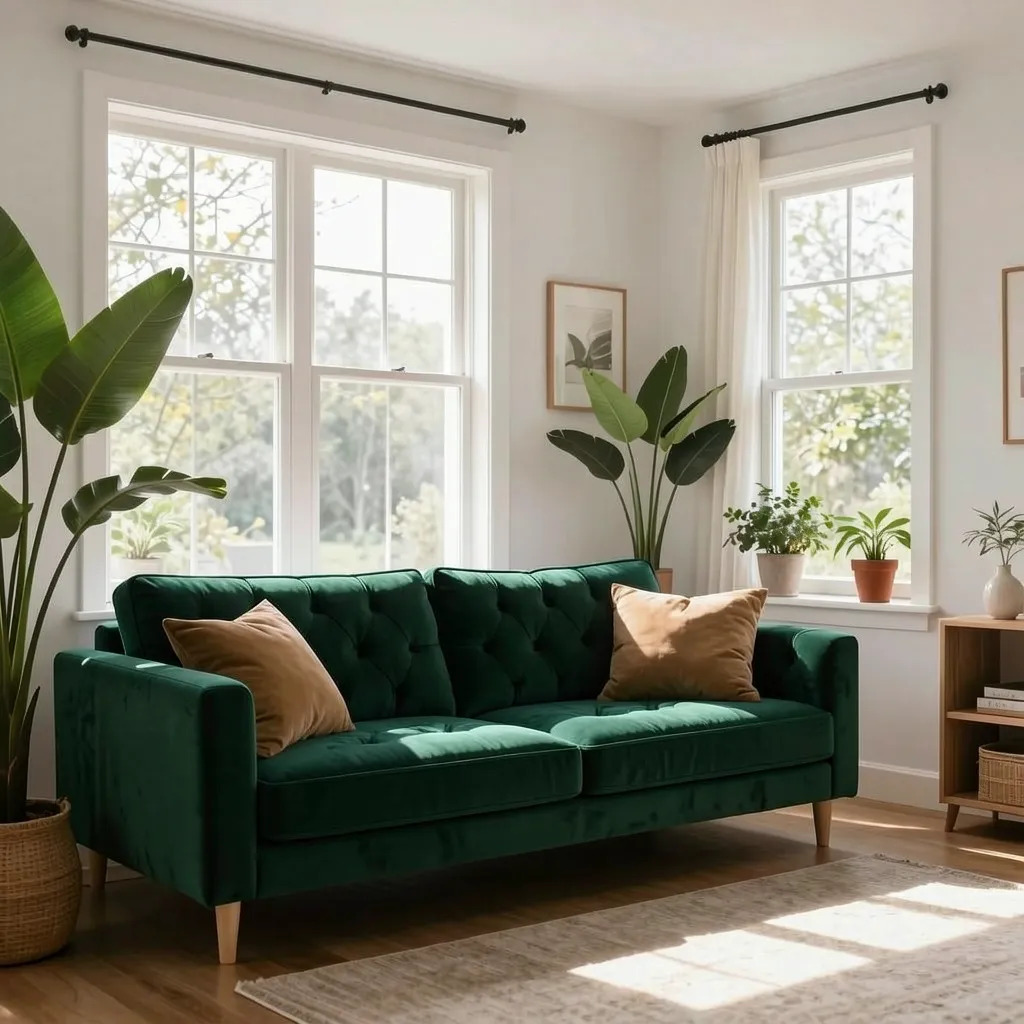
Both pictures above come straight from the page's example. Notice that the walls, floor and lamp stay where they were. Only the fabric changes. That is the whole point of image to image.
Prompts that work well
- Material swaps: “Make the jacket brown leather”, “Turn the table into polished marble”.
- Color changes: “Make the raincoat blue” is the other built-in example.
- Style changes: “Make this photo look like a watercolor painting”. Expect more drift here, because a full restyle touches every pixel.
- Mood: “Make it a rainy evening with wet streets”.
Keep it to one change per run. If you stack three edits in one sentence, the model usually does one well and fumbles the rest. Run them one after another instead.
Honest limits
- It is not a masked editor. The free version changes what your sentence points at, but small details elsewhere can shift. Pixel-precise masked edits are a premium feature.
- Faces, hands and small text can drift on strong restyles. Zoom in before you post.
- The free GPU allowance runs out after several edits. You wait for the daily reset or sign up for more.
- Safety filters screen uploads and prompts, so some requests get blocked.
Once you have a still you like, you can animate it with the free AI video generator, no sign-up needed and turn it into a short clip.
FAQ
Is there a free image to image AI with no sign-up?
Yes. Upsampler's free AI image editor takes your uploaded image plus a text instruction and returns an edited version without an account, ads or a watermark.
Can I use my own photo as a reference?
Yes. Your upload is the starting image, and the model keeps its structure and composition while it applies the change you describe.
What is the difference between image to image and an AI image generator?
An image generator makes a new picture from a text prompt alone. Image to image changes a picture you already have, so the layout stays the same.
How many free edits do I get?
The page gives you a small daily allowance of free GPU minutes, enough for several edits per day. It resets daily.
Can I use the results commercially?
The page says yes. The models are Apache 2.0, so the output is yours to use, as long as you have the rights to the image you uploaded.