Upscale Image Free: How Big Your Photo Gets, and When to Stop (No Sign-Up)
The quickest way I know to upscale an image for free is Upsampler's no-sign-up image upscaler. You upload a JPG, PNG or WebP, choose one of three AI models, and download a larger, sharper copy straight from the browser. There's no account, no ads and no watermark.
What you get
- A free AI upscaler in the browser. Nothing to install, no ComfyUI workflow, no graphics card of your own.
- Three models to choose from: Seed VR 2 Small (SeedVR2 3B, the default), GAN, and Real-ESRGAN x4plus.
- 4x enlargement with GAN and Real-ESRGAN. Every side gets four times longer, so a 960px wide photo comes back at 3840px.
- About 2 megapixels out with Seed VR 2 Small, whatever size you upload. It is built for repairing soft or compressed photos, not for maximum size.
- Input limit: up to 2048px per side.
- Free daily allowance of GPU minutes. Small images use less, so you can run many small upscales or a few big ones.
- No watermark on any model, according to the tool page.
How to upscale a photo in 4 steps
- Open the free photo upscaler. Under “Examples · tap to try” you'll find a low-res bee and a vintage harbor photo, each with its before and after already shown.
- Decide what you want more: size or repair. For size, pick GAN or Real-ESRGAN. For a blurry or blocky photo, keep Seed VR 2 Small.
- Drop, paste or click to upload your image, then press Upscale Image.
- Use the before/after slider, zoom into faces and edges, and download the result.
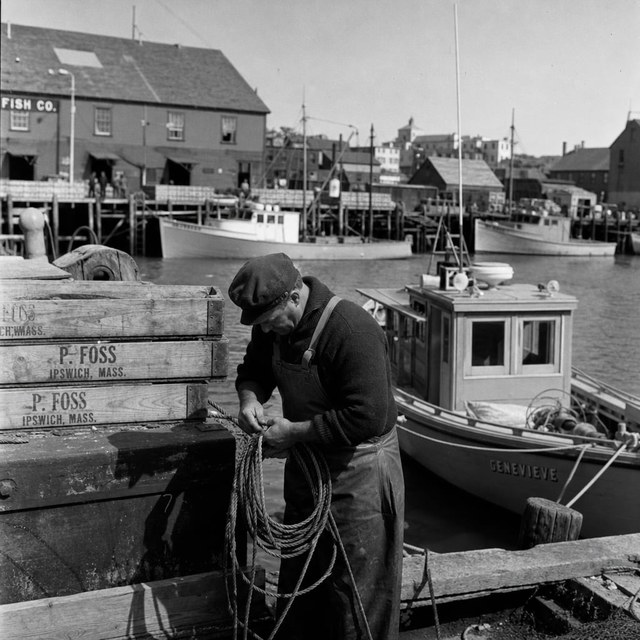
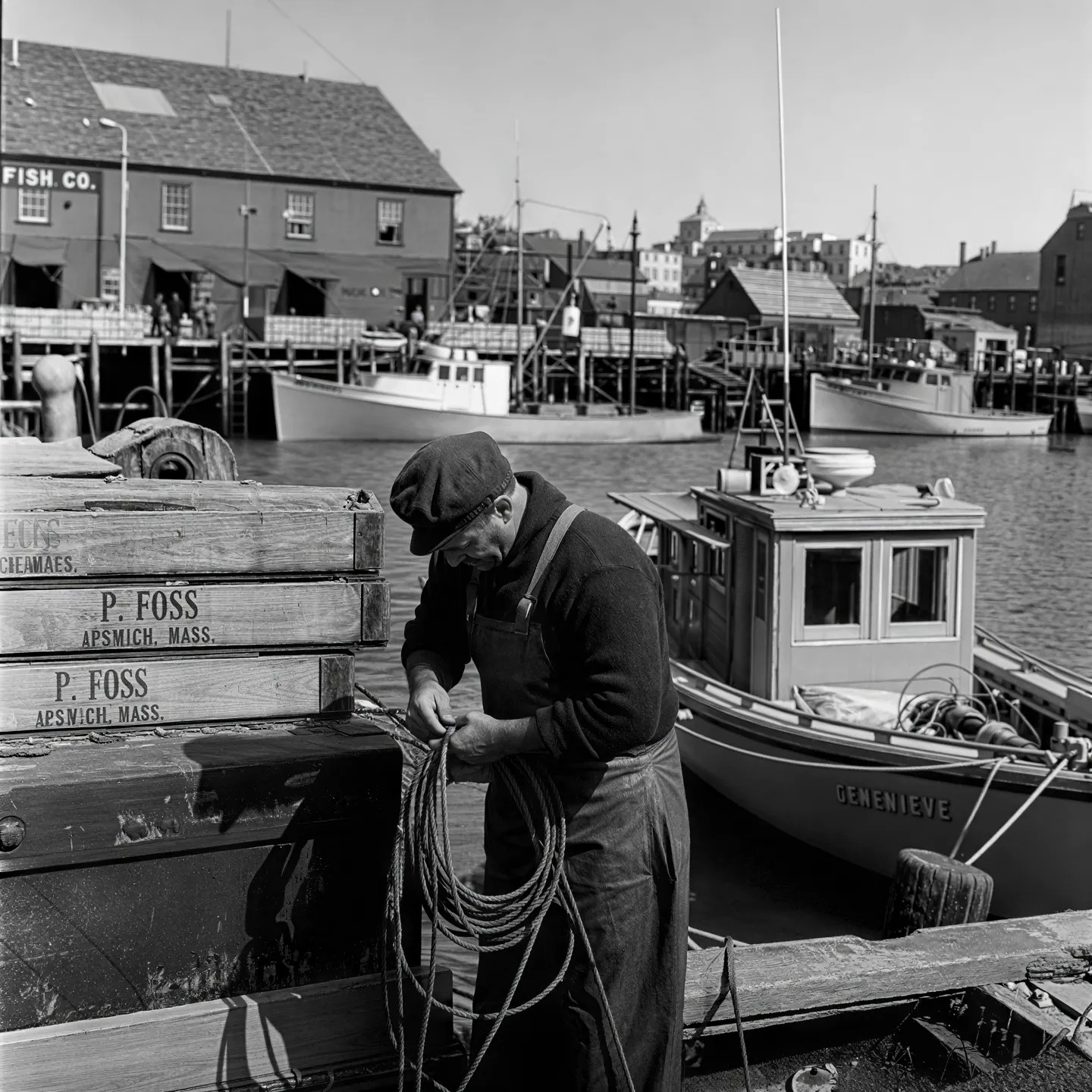
Both images above are the page's own built-in example. Look at the crate lettering and the rope before you trust any upscaler with your own photos: that's where real reconstruction shows.
How big should you go?
People often ask for “as big as possible”, but the right size depends on where the picture ends up. A profile photo or a blog image rarely needs more than one 4x pass. A wallpaper or a print needs the full 4x from GAN or Real-ESRGAN, and only if the source is clean. If the original is tiny and smeared, a bigger output just makes the smear bigger. In that case, run Seed VR 2 Small first to repair it, then judge whether you still need more pixels.
Also think about file size. A 4x upscale has sixteen times as many pixels, so a phone photo can turn into a heavy file. If you're posting online, resize or compress the download to the size the site actually displays.
When faces start to look plastic
This is the part I check every time. Seed VR 2 Small rebuilds texture the pixels no longer hold, and the page itself warns that small text and distant faces can come back changed. On a soft group photo, that can mean smoother skin or slightly different eyes. If a face matters, compare it against a GAN or Real-ESRGAN run, which enlarge without rewriting what's there. For an old portrait with real damage, the free face restoration tool on the same site is a better fit than plain upscaling.
Honest limits
- Inputs over 2048px per side aren't accepted on the free tool.
- The daily GPU allowance runs out if you do lots of large images. You wait for it to refill.
- Heavily compressed JPGs, tiny crops and very blurry originals improve less, and pushing them hard can exaggerate blocks.
- It adds resolution. It can't fix framing, focus on the wrong subject, or a missing detail it has never seen.
If you want to do more with the upscaled still, you can animate it into a short clip for free, also without signing up.
FAQ
Can I upscale an image for free without signing up?
Yes. Open the page, upload an image and press Upscale Image. There's no login, and you get a daily allowance of free GPU minutes.
How much bigger does the image get?
GAN and Real-ESRGAN enlarge each side 4x. Seed VR 2 Small returns about 2 megapixels regardless of input size.
Which model is best for a blurry photo?
Start with Seed VR 2 Small, then check faces and text against a GAN run.
Does the free upscaler add a watermark?
No. The tool page says no watermark is added on any model.
What file types can I upload?
JPG, PNG and WebP, up to 2048px per side.