User Data
LibreOffice has an feature that allows a user to store some details on their company, for example. This data can then be, retrieved and used in documents.
Tools (menu) —> Options

Brings up the following, I have entered some made up data for this tutorial


This work is licensed under a Creative Commons Attribution-ShareAlike 4.0 International License.
GIMP – Modify image with the Fill tool.
As part of creating How_to's for Libreoffice, I had to modify an existing graphic of a keyboard, to highlight the shortcut keys for different functions (e.g printing).
This formed part of my Keyboard Shortcuts how_to.
In order to do this, I used GIMP
Starting with the original image.

I opened this in GIMP
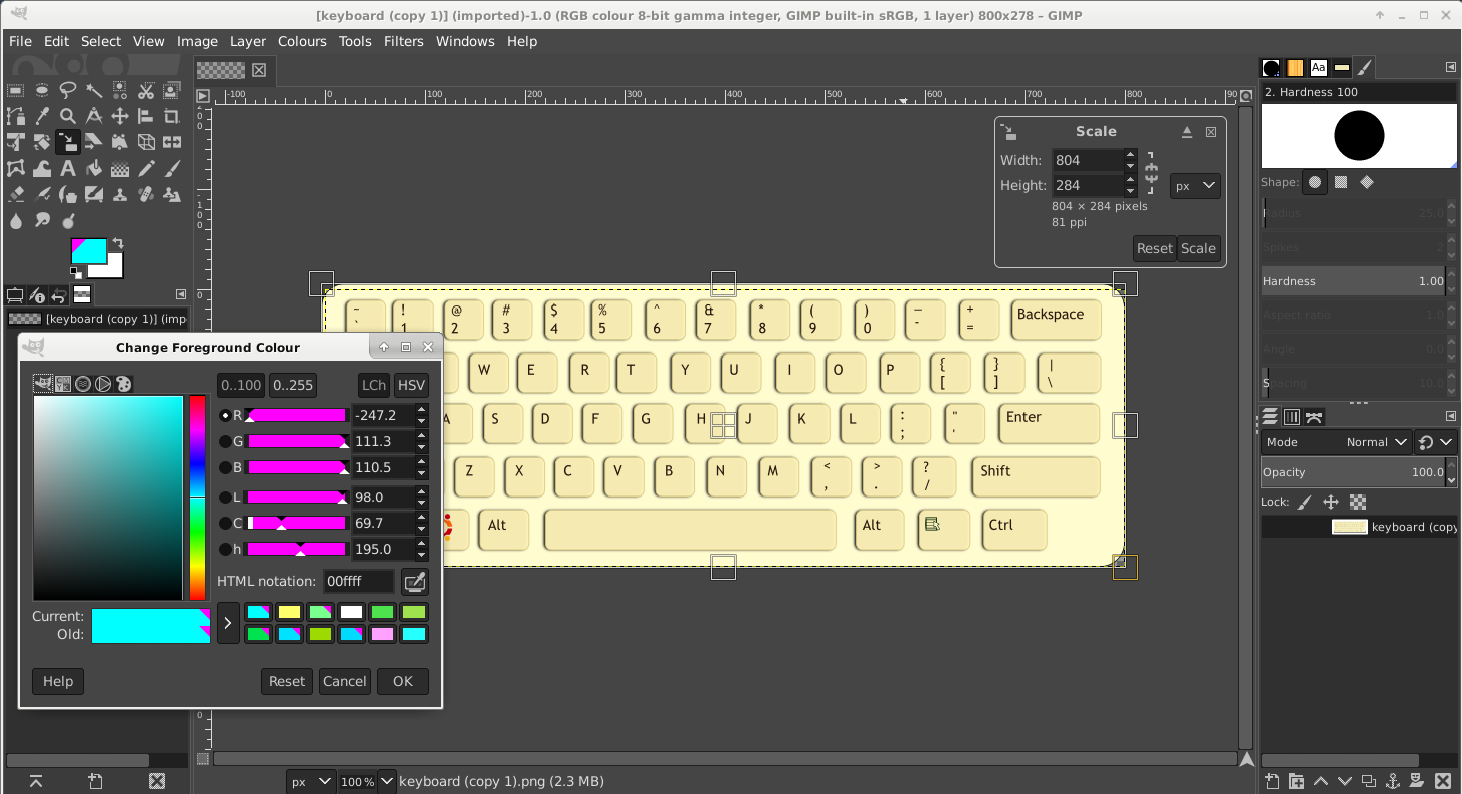
Used the ForeGround Colour tool (also shown above)
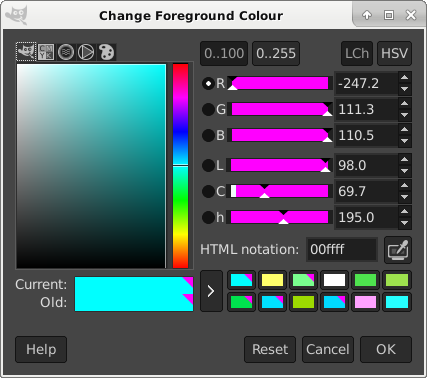
So in this case, selecting white from the colour history, then clicking on a keyboard key area, you can highlight different keys with a colour.
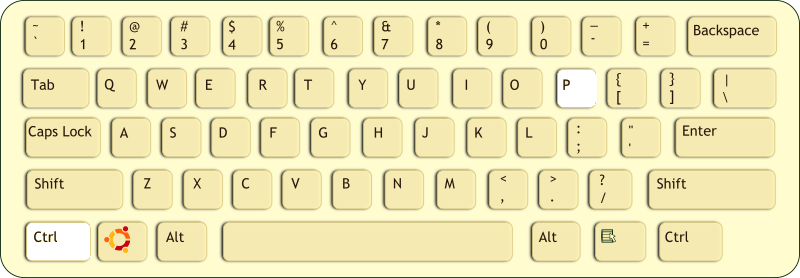
So this shows the modified image.
I also made a video to help illustrate this process.
#gimp,#image,#Colour,#fill,#modification.
Mini Deb Conferences
Updated and reposted 25/11/2020
MiniDebConf : 21+22 Nov 2020
Schedule : Schedule
* Recordings from sessions are now on the website – links in schedule
* Peer tube link for recordings
IRC : minidebconf-online on oftc please see “HOW TO JOIN VIA IRC” below.
https://mdco2.mini.debconf.org/schedule/
Welcome to MiniDebConf Online #2 "Gaming Edition", four days of Debianites working together to learn, have fun and improve Debian.

Recently, Debian (and Linux in general) has been emerging as a great platform for gaming. Not only for playing games, but for creating games too.
More information can be found here
HOW TO JOIN VIA IRC
- Please review the website and Code of Conduct information.
- Goto https://www.oftc.net/
- Top right hand corner
- Press Chat

FSFE NEWSLETTER
Software Freedom 2020
In our Newsletter November, we review our annual report "Software Freedom in Europe" and the new Free Software Strategy by the European Commission. We have new staffers, a new call for FSFE community projects, REUSE is taking off, the local group in Zurich received an award, and so much more has happened to discover
https://fsfe.org/news/nl/nl-202011.html
#FSFE,#NEWSLETTER,#NOVEMBER2020
Spelling and Grammar
It is important to check your document for errors.
The spell check tool allows you to do this easily.
Tools —> Spelling or press F7
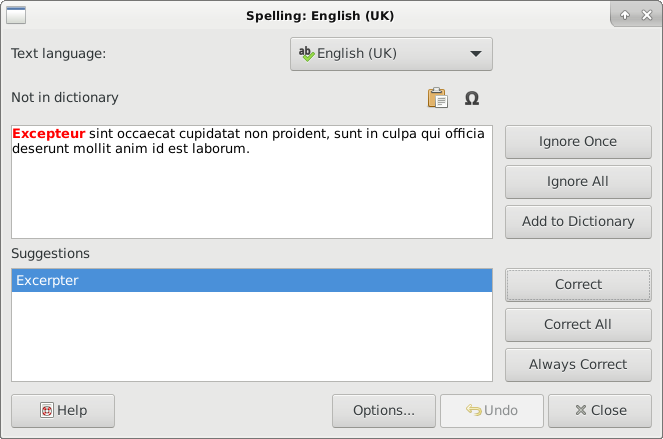
You can also set other options
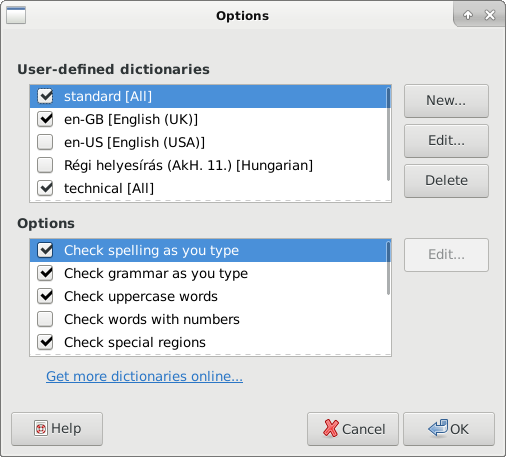
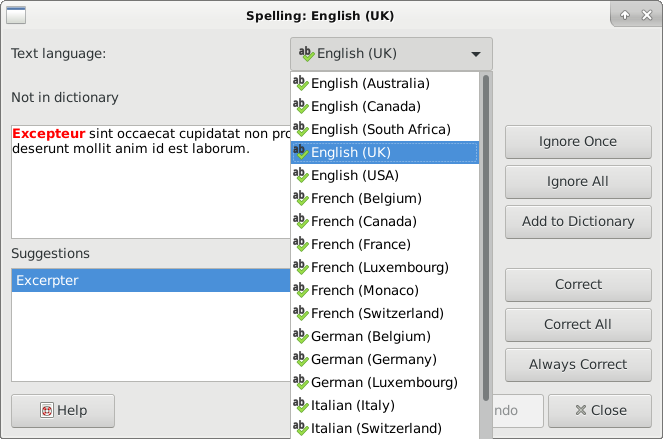
It is usually a good idea to click at the top of the document before running a spell check, that way the entire document can be checked in one go. You can:
- Correct a misspelt word
- Correct Grammar
- Add new words to the dictionary.
If you need to change the language LibreOffice is using then you can use the pull down menu to choose a different language.
This work is licensed under a Creative Commons Attribution-ShareAlike 4.0 International License.
Page Zoom
Sometimes you may find the text on the screen is too small to read or perhaps you want to check a image for example.
You can use the zoom tool, found in the bottom right of the application to make the page bigger or smaller.

Move the slider left <–> right to zoom out and zoom in.

Video demonstration
This work is licensed under a Creative Commons Attribution-ShareAlike 4.0 International License.
LibreOffice 7.1 beta
LibreOffice 7.1 Beta1 is available for testing

LibreOffice 7.1 will be released as final at the beginning of February, 2021 ( Check the Release Plan for more information ) being LibreOffice 7.1 Beta1 the second pre-release since the development of version 7.1 started at the end of May, 2020. Since the previous release, LibreOffice 7.1 Alpha1, 1131 commits have been submitted to the code repository and 245 issues got fixed. Check the release notes to find the new features included in this version of LibreOffice.
See LibreOffice blog for details
Creating an archive
In order to submit levels for rocks and diamonds, I needed to archive all the levels together. Under Debian 10 xarchiver, is one tool that can be used for this.

It should be a case of
- Goto folder with files in
- Select all files you would like to add
- right click on one of the selected files and select create archive
I have added a short video below, other than the slight hiccup with selecting the files, this will produce a tar.gz archive file.
#Debian,#Buster,#xfce,#xfce4,#archive,#xarchiver,#creation.
CrypdPad contents
To make it easier to find various posts relating to cryptpad
The technical writers guide to contributing to open source projects
I found a link to this article on Twitter, posted by Edidiong Asikpo so am sharing here as it may be of interest to some of the projects I am involved in.
#OpenSource,#FreeSoftware,#technical,#writing